iMetronome
Metronome for odd time signatures on iPhone, iPad and Mac
A clear, simple metronome for every meter, from a steady 4/4 to 2+2+3/16. Drag the ring to set the tempo, tap play, and practice. Free to download, with Pro as a one-time purchase: no subscription and no ads.
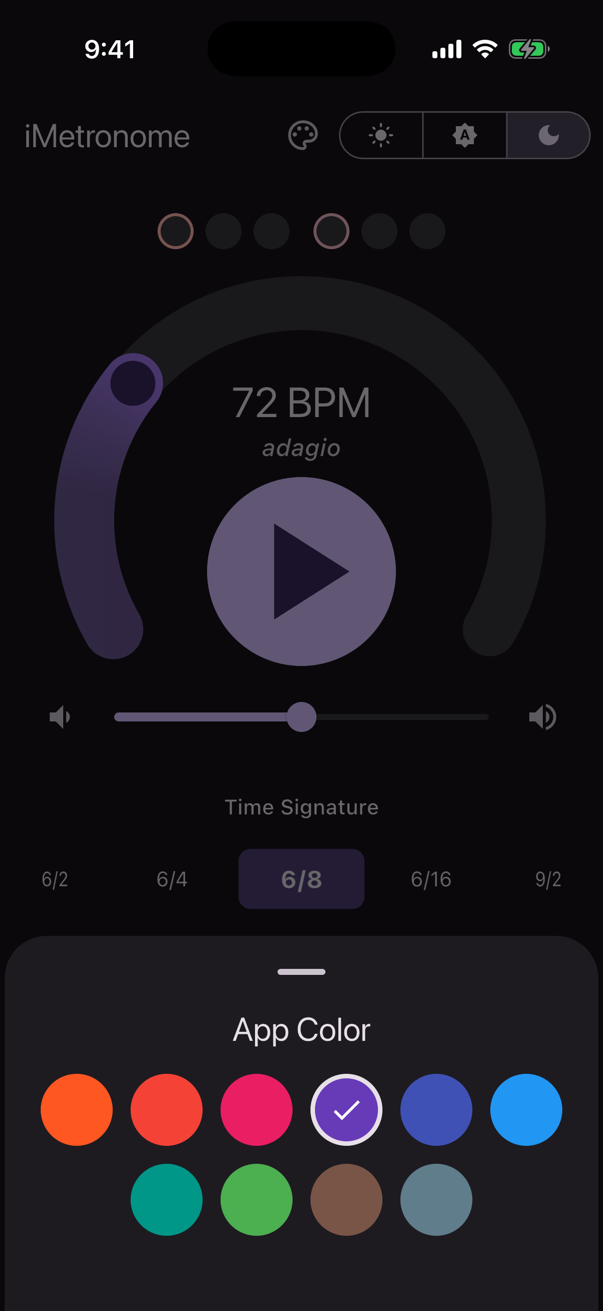
Hear the groups, not just the beats
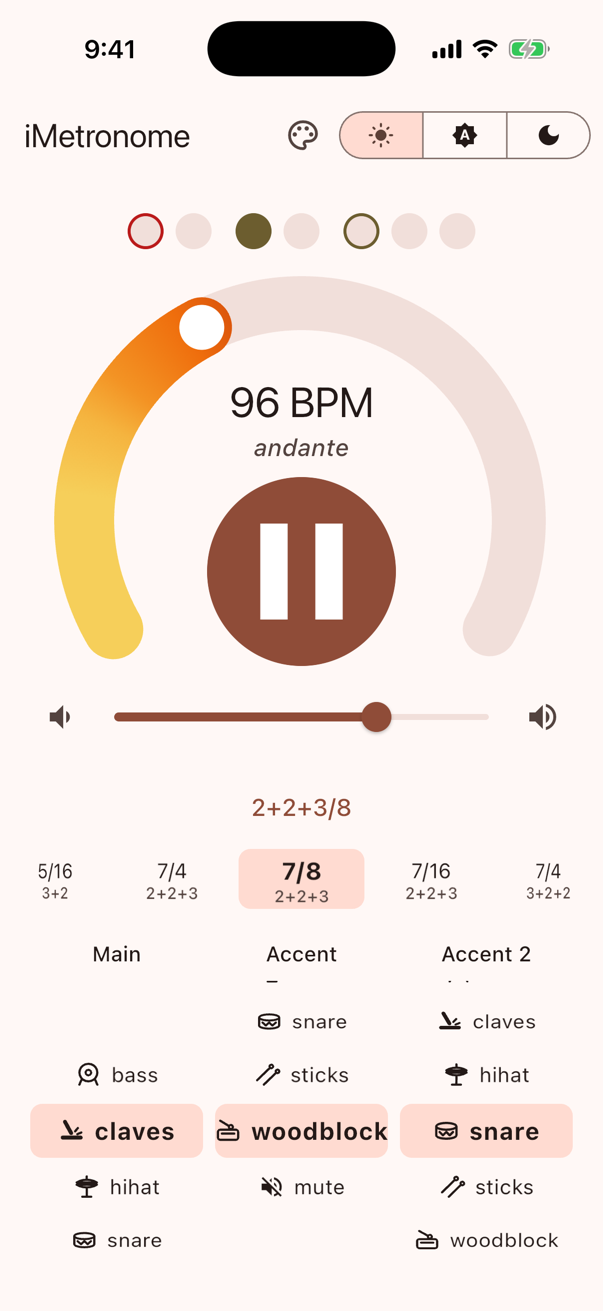
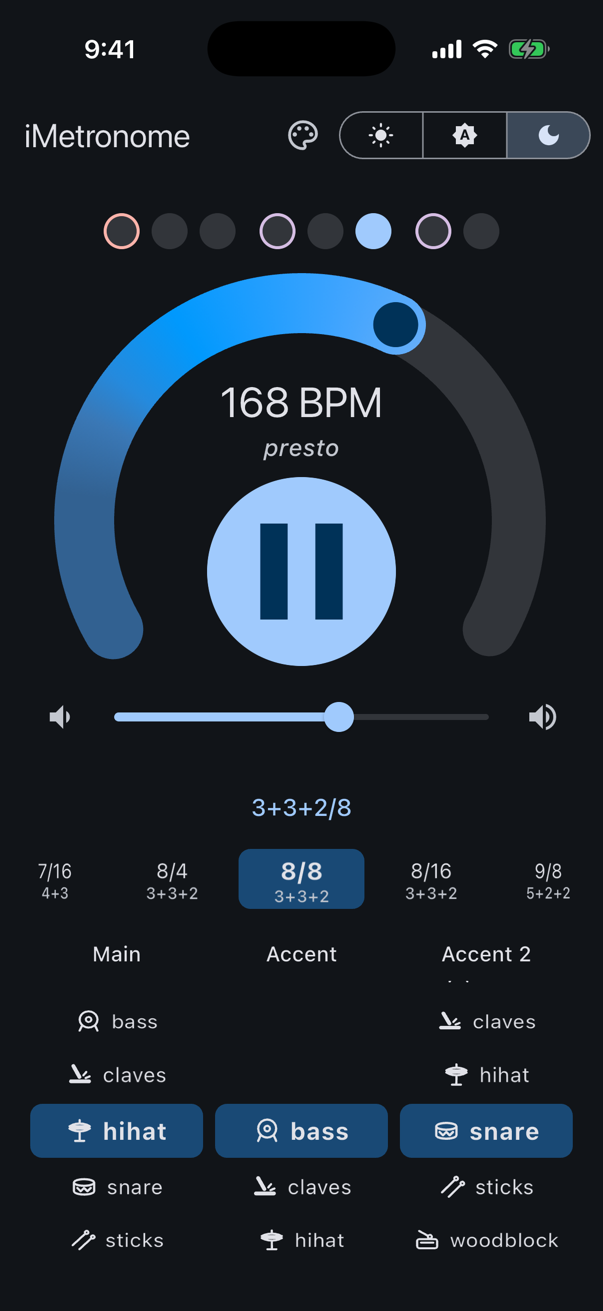
A bar of 7/8 isn't just seven clicks. iMetronome plays it as 2+2+3, 3+2+2 or whichever grouping you pick, with an accent at the start of the bar and a second accent at the start of each group, so you always know where you are.
See where you are
A row of beat dots lights up with each click. Groups are spaced apart and their first beats are outlined, so you can read the pattern at a glance and count along without losing your place.
Set the tempo in one move
Drag the big tempo ring to any speed and the Italian tempo marking follows, from Largo to Presto. Tap the play button in the middle to start and stop. Volume is a slider right on the main screen.
Pick the sounds
Choose bass, claves, hi-hat, snare, sticks or woodblock separately for the main beat and the accents, or mute one to practice with fewer clicks.
iPhone, iPad and Mac
The same app runs on all three, and Pro bought on one unlocks the others with the same Apple Account. Your tempo, sounds and time signature are saved automatically.
Free
- Tempo from 40 to 220 BPM on a large ring, with the tempo marking (Largo, Andante, Allegro, Presto…)
- Time signatures from 1/4 to 4/4, with beat dots that follow the sound
- Separate main and accent sounds: claves, hi-hat, snare, sticks, woodblock, bass or mute
- Keeps playing in the background and with the screen locked
- Light, dark or system theme; your settings are remembered
Pro, a one-time purchase
- Tempo from 25 to 600 BPM
- 42 time signatures, including grouped meters such as 2+3, 2+2+3 and 3+3+2
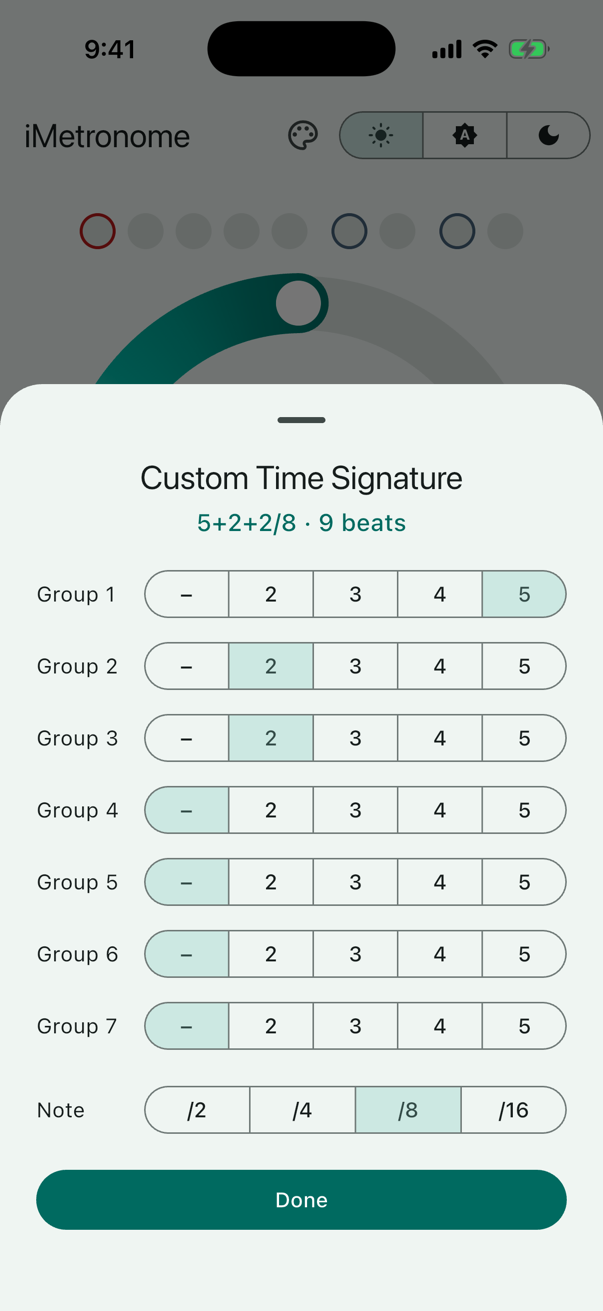
- Your own groupings of up to 7 groups of 2–5 beats, up to 20 kept on the wheel
- Accent 2: a third sound on the first beat of each group
- 10 app colors; the tempo ring follows your color
Support
Questions, problems or ideas? Email imetronome@gnetchat.com. Please include your device model and iOS or macOS version.
Frequently asked questions
- How do I restore iMetronome Pro on a new device?Sign in with the Apple Account you bought Pro with, tap any "Unlock … with Pro" button in the app, then tap Restore Purchases. Pro is a one-time purchase, so restoring it is free. Pro bought on an iPhone or iPad also unlocks iMetronome on your Mac, and the other way round.
- Is Pro a subscription?No. Pro is a one-time purchase. There is no subscription and there are no ads.
- How are beats counted?Every click is one note of the time signature's bottom number, so 6/8 at 120 BPM plays 120 eighth notes a minute. Grouped meters accent the first beat of the bar and play Accent 2 on the first beat of each later group: 9/16 plays as 3+3+3, with Accent 2 on beats 4 and 7.
- How do I make my own time signature?With Pro, scroll the time signature wheel to custom and choose up to 7 groups and a note value. A new grouping is added to the wheel just before "custom", where you can edit or delete it. If it plays the same as one already on the wheel, that one is selected instead.
- I can't hear anything.Check the volume slider in the app and your device volume, and make sure the sounds aren't set to mute. The silent switch doesn't mute iMetronome, but a connected Bluetooth device may be playing the sound instead of your iPhone, iPad or Mac.
- The beat dots and the sound seem out of step.Bluetooth headphones and speakers add a delay to the sound. The app allows for it, but some devices report it inaccurately. Wired headphones or the built-in speaker give the tightest timing.
iMetronome doesn't collect personal data. Purchases are handled by Apple; see the iMetronome privacy policy.